


### Blog Post:
Fall detection medical alert system use has become crucial as falls among older adults reach record highs, yet making an informed choice can be surprisingly complex. This guide is your blueprint for understanding, choosing, and using a system that truly matches your needs or those of a loved one.
Key Takeaways
- Every year, over 25% of adults aged 65+ experience a fall, making quick emergency response and prevention more vital than ever.
- Not all fall detection alert systems are user friendly or equally reliable—many buyers discover limitations with accuracy, false alarms, and device setup.
- There are critical gaps in competitor articles—few explain real costs, device specs, or the difference between automatic detection and manual alert buttons.
- Understanding Fall Detection Medical Alert Systems
- Step-by-Step Guide: Choosing and Using a Fall Detection System
- Advanced Analysis & Common Pitfalls
- Conclusion
- Frequently Asked Questions
Understanding Fall Detection Medical Alert Systems
A fall detection medical alert system is a wearable device or button that can automatically sense when a fall has occurred and immediately notify caregivers, emergency services, or family. With more than one in four seniors over 65 falling each year, and over 41,000 fatal falls in 2023 alone, these devices are designed as a life-saving safeguard, especially for those who live alone.
The appeal is obvious—if a senior is unable to reach a phone after a fall, the system will still send for help. However, not all devices are created equal. Some trigger false alarms from sudden movements, while others miss genuine emergencies. The real-world value depends greatly on accuracy, response time, battery life, ease of use for those with limited dexterity, and integration with modern ecosystems like smartphones or home assistants.

As technology advances, selecting the right system in 2026 requires careful consideration of these evolving features and limitations.
Step-by-Step Guide: Choosing and Using a Fall Detection System
Selecting and setting up a fall detection medical alert system involves more than picking the first device you see online. Here’s how to navigate the process for maximum safety and peace of mind.
- Assess Needs & Environment.
- Is the user mostly at home, active outdoors, or both? Indoor-only systems may not track falls outside. If you’re choosing for someone who’s mobile or walks outside, look for GPS-enabled devices.
- Consider dexterity and vision. Seniors with arthritis or visual impairment need very simple interfaces and large, tactile alert buttons.
- Compare Device Types.
- Wearable Pendants or Watches: Offer auto detection and rarely need removal, but can trigger false alarms during rapid yet safe movement.
- Wall-Mounted Buttons: Rely on the user being conscious and able to reach for help; best as a backup in high-risk areas like bathrooms.
- Voice-activated alerts: Best for those who dislike wearing devices, yet require clear speech to activate.
Discover more assistive tools in our guide to daily living aids.
- Check Responsive Monitoring.
- Does the company provide 24/7 human monitoring, or does the device only notify a pre-set list of contacts via app or text? Real-time response is faster with professional monitoring, which can instantly dispatch help if there’s no reply.
See the latest on top 2026 home health devices for ideas on supporting senior independence.
- Investigate Technical Features.
- Look for long battery life—minimum of several days, ideally up to a week or more on a single charge.
- Choose waterproof models, especially for bathroom/shower risk.
- Find out if it integrates with smartphones, wearables, or smart home hubs for better caregiver communication and location tracking.
- Ask about device update frequency for security and fall detection algorithms.
Explore advanced adaptive tech in our roundup of ergonomic innovations for 2026.
- Understand Costs & Contracts.
- Read the fine print. Some plans have hidden fees for activation, shipping, extra alerts, or cancellation.
- Ask if Medicare or private insurance covers part of the cost—very few top competitor articles mention this practical concern.
- Set Up, Test, and Train Caregivers.
- Do a dry run with family or neighbors. Test both automatic and manual alert modes, and confirm everyone knows the escalation process, including who gets notified.
- Keep backup charging cables in strategic locations to avoid a dead device at the wrong time.
- Update contacts and profiles regularly—numbers, addresses, lockbox codes, allergies, and preferred hospitals.
Real stories of regained independence can motivate: see these success stories of seniors thriving with adaptive tools.
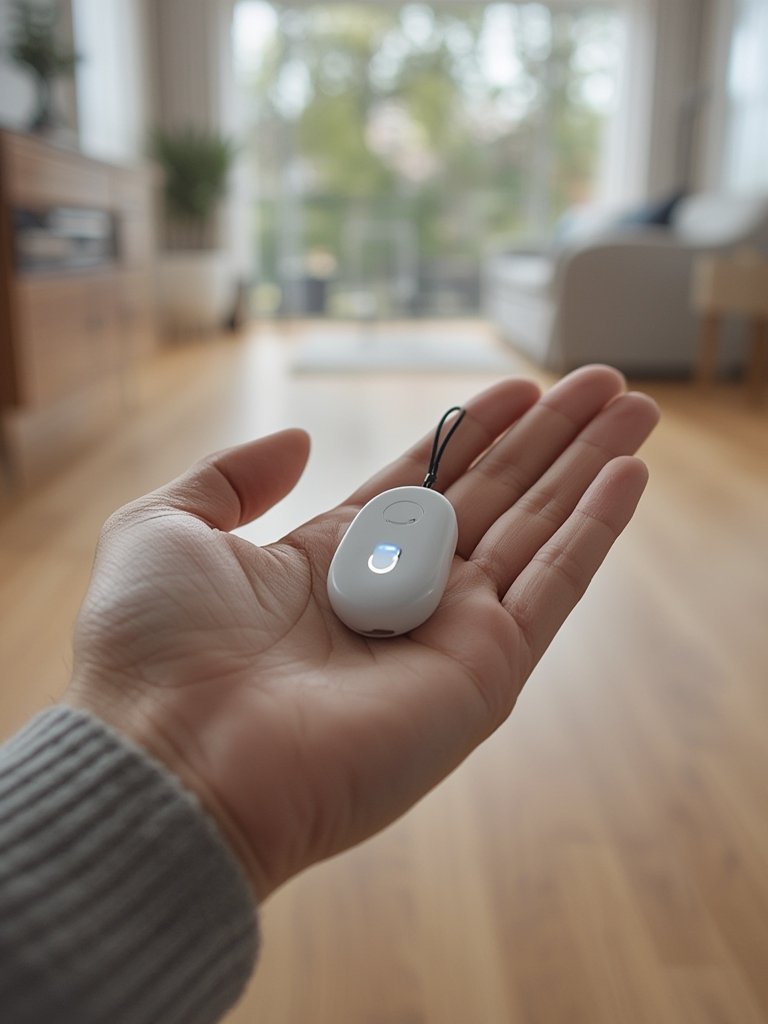
Make a habit of reviewing the device’s status light, battery, and connectivity each week, and encourage everyone in the support circle to treat these checks as routine as medication reminders.
Advanced Analysis & Common Pitfalls
Most competitor guides skip real-life obstacles that affect day-to-day use. Here’s a realistic look at the hurdles you might encounter:
- Limited accuracy: Most fall detection sensors struggle with quickly sitting, tossing in bed, or dropping devices, which can trigger false alarms—leading some users to disable the function after repeated nuisance calls.
- Missed falls: No device is perfect—awkward or slow-motion slides (such as trying to sit and slipping) might not register as a fall, creating a false sense of security.
- Battery anxiety: Many systems need daily or bi-weekly charges, and missing a recharge can leave users unprotected just when it’s needed most.
- Setup challenges: Seniors with arthritis, tremors, or poor vision may find it hard to secure wrist straps, tiny charging ports, or toggle complicated settings. Seek help with setup and routine use.
- Lack of cost transparency: Pricing usually includes an upfront fee, ongoing monthly charges, and, sometimes, extra fees for caregiver apps or at-home device upgrades. Always clarify costs before purchase.
- Reliability trade-offs: Automatic detectors provide reassurance when the user is unconscious but may be less dependable for odd-shaped falls than a traditional manual alert button—which, ironically, is only valuable if the user can press it.
| Feature | Automatic Fall Detection | Manual Alert Button |
|---|---|---|
| Detects Falls if Unconscious | Yes | No |
| Prone to False Alarms | Often | Rare |
| Ease of Use for Limited Dexterity | Varies; may have small buttons | Usually large, basic button |
| Cost | Typically higher; requires monitoring | Lower |
| Works If User Cannot Move | Yes | No |
To combat pitfalls, some users layer multiple solutions: for example, pairing a smart GPS walker with fall detection for outings with a home pendant for bathroom and bedroom coverage. Ergonomic and user-friendly adaptive tools help ensure daily routines don’t put safety at risk—see the latest ergonomic updates for seniors for more.
Despite their limitations, fall detection devices increase the odds of prompt help. According to recent statistics, nearly 3.5 million older adults require emergency care annually for falls, and time to treatment is key for survival and recovery.

Conclusion
Falls among seniors are more frequent and serious than most people realize. While no solution is flawless, a carefully chosen fall detection medical alert system can offer immediate support and peace of mind—especially for those living alone. Weigh auto-detection against manual alert buttons, stay honest about the real-world limits, and make sure your device fits into an ecosystem of helpful adaptive tools. Want more on empowering safe independence? Explore our expert guides to assistive tools for daily living and home health devices for seniors. Take action now—don’t wait until a fall to put support in place.
Ready to protect yourself or someone you love? Research and choose the best fall detection medical alert system that fits your unique living situation, and revisit trustworthy sources for ongoing safety updates.
Frequently Asked Questions
How does a fall detection medical alert system know when someone has fallen?
The system uses built-in accelerometers and gyroscopes to sense sudden changes in movement and orientation typical of a fall. When these are detected, it can automatically send alerts to designated contacts or monitoring centers.
Are fall detection systems reliable for all types of falls?
No system is perfect. They work well for abrupt falls but may not detect slower or awkward slides. For maximum safety, combine automatic detection with easy-to-use manual alert buttons.
Can someone with limited hand function use these devices?
Look for large, wearable buttons, one-touch wristbands, or voice-activated options. Ergonomic and accessible devices are increasingly available in 2026, but setup and routine maintenance can still require caregiver help.
Is fall detection covered by Medicare or insurance?
Coverage varies by region and provider. Most basic devices are not covered by Medicare, though some Medicare Advantage or Medicaid plans may help. Always ask the manufacturer and your insurer about available support before you buy.
What happens if a fall detector triggers a false alarm?
If the system detects a fall that didn’t happen, it will typically call your pre-set contacts or monitoring center. Most systems allow you to cancel the alert within a few seconds, but repeated false alarms can cause unnecessary worry and charges.
—