


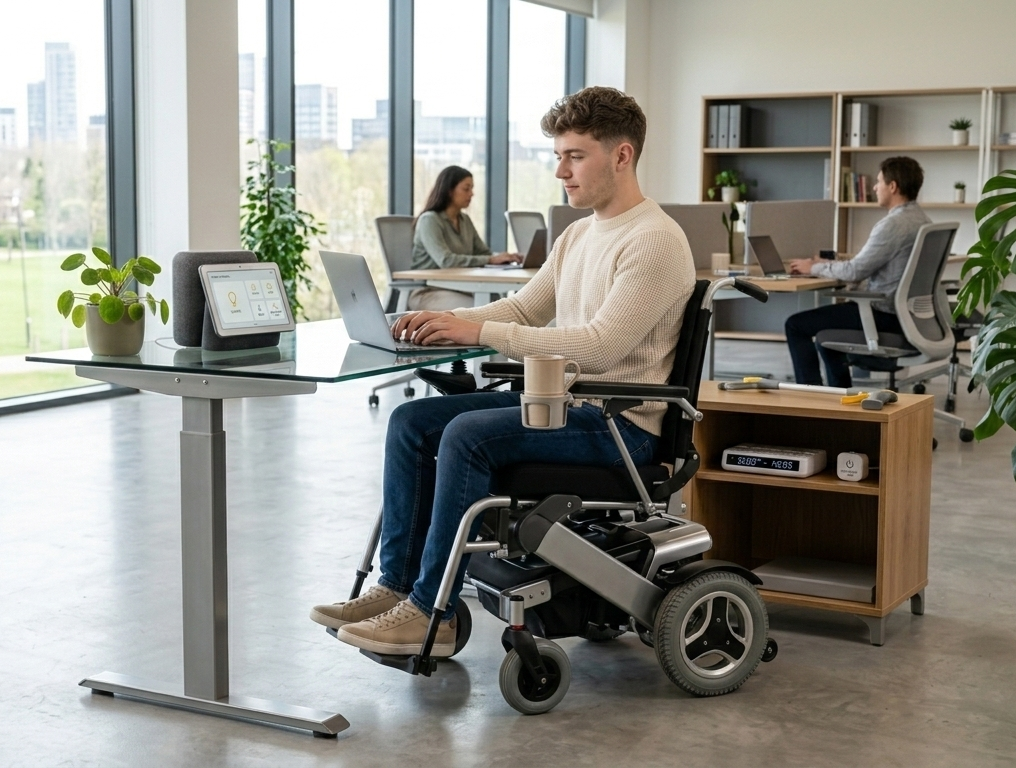
Setting up an accessible home office for people with disabilities requires more than just a desk and a chair. The right setup can eliminate pain, reduce barriers, and make working from home genuinely comfortable and productive. In this guide, we share the best practical tips and tools to create a truly accessible home office in 2026.
Table of Contents
1. Choosing the Right Desk for an Accessible Home Office
The foundation of any accessible home office for people with disabilities is the right desk. A height-adjustable standing desk is ideal — it accommodates wheelchair users, people who need to alternate between sitting and standing, and those recovering from injuries. Look for a desk with smooth electric height adjustment, programmable memory presets, and enough surface space for all your equipment. A clutter-free desk reduces physical and mental strain for everyone.
2. Ergonomic Seating for People with Disabilities
Choosing the right chair is critical for an accessible home office for people with disabilities. Look for chairs with fully adjustable lumbar support, seat height, and armrests. For wheelchair users, ensure the desk height accommodates the wheelchair comfortably without requiring awkward reaching or bending. For people with chronic back pain or mobility limitations, a chair with a high backrest and firm cushioning provides the support needed for long working sessions.
3. Accessible Computer Setup and Adaptive Technology
Technology plays a huge role in making an accessible home office for people with disabilities truly functional. Large monitor screens with adjustable stands reduce eye and neck strain. Screen readers and magnification software help people with visual impairments work independently. Voice recognition software like Dragon NaturallySpeaking allows hands-free computer control for people with limited hand mobility. Switch access devices and alternative keyboards further expand accessibility for a wide range of disabilities.
4. Lighting and Sensory Considerations for Accessibility
Good lighting is essential in any accessible home office for people with disabilities. People with visual impairments, migraines, or sensory processing disorders need carefully designed lighting that reduces glare and harsh contrasts. Use adjustable LED desk lamps with dimmer controls and color temperature settings. Position lighting to illuminate the workspace evenly without creating shadows on the screen or keyboard. For people with light sensitivity, blackout curtains combined with warm artificial lighting create a comfortable and productive environment.
5. Accessible Storage and Workspace Organization
An organized workspace is especially important in an accessible home office for people with disabilities. Keep frequently used items within easy reach to avoid unnecessary stretching or bending. Use labeled drawer organizers, desktop trays, and wall-mounted shelves at accessible heights. For wheelchair users, ensure pathways around the desk are wide enough for comfortable maneuvering — at least 36 inches of clear space is recommended. A well-organized office reduces physical effort and mental fatigue throughout the workday.
6. Communication Tools for an Accessible Home Office
Staying connected with colleagues is vital in any accessible home office for people with disabilities. Video conferencing tools like Zoom and Microsoft Teams now offer built-in accessibility features including live captions, screen readers, and keyboard shortcuts. For people with hearing impairments, visual notifications and captioning tools make virtual meetings fully accessible. For those with speech disabilities, text-based communication tools and chat platforms provide an equally effective way to collaborate and communicate professionally from home.
7. Mental Health and Wellbeing in an Accessible Home Office
Creating a positive atmosphere is just as important as physical accessibility in a accessible home office for people with disabilities. Natural light, plants, and personal touches make the workspace feel welcoming and motivating. Take regular breaks using a timer to avoid fatigue and prevent repetitive strain. Build a daily routine that includes movement, hydration, and rest periods. For people managing chronic conditions or disabilities, a well-designed home office that supports both physical and mental wellbeing is the ultimate foundation for long-term productivity and happiness.
Building the perfect accessible home office for people with disabilities is a journey, not a single task. Start with the changes that will make the biggest difference to your daily comfort and productivity — whether that is a better chair, adaptive technology, or improved lighting. Every small improvement adds up to a workspace that truly works for you. With the right tools and setup, working from home can be comfortable, productive, and empowering for everyone regardless of ability.